Post Name :
Post Updated :
Post Details :
UIDAI: Download e-Aadhaar, Update Aadhaar, and Book Appointment 2026
Aadhaar card, issued by the Unique Identification Authority of India (UIDAI), is also commonly known as “My Aadhaar”. It is a unique identification card for every citizen living in India. Launched in 2009, it is now widely used for various purposes such as government schemes, banking, jobs, income tax filing, and even voter registration. Any citizen needs an Aadhaar card to open a bank account, avail government benefits, or complete official formalities. On this page, you will find all the important information related to Aadhaar card, including how to download, update, and use it effectively.
UIDAI (Unique Identification Authority of India)
e-Aadhaar Card Download | Update Aadhaar | All UIDAI Services 2026
My Aadhaar 2026: Short Details of Notification
IMPORTANT DATES
Aadhaar Card Scheme Launch: 2009
Enrollment Start Date: 2009
Last Date for New Aadhaar Enrollment: Not Available
Aadhaar Services Fees (Updated 2025–2028)
Aadhaar Enrollment: ₹0 – Free for new residents
Demographic Update (Name, Address, DOB, Mobile/Email): ₹75 at centre
Biometric Update (Fingerprint, Iris, Photo): ₹125
PVC Aadhaar Card Order: ₹75
Home Enrolment Service: ₹700 (Additional resident ₹350)
Online Document Update: Free (via myAadhaar portal until June 14, 2026)
Payment Mode: Pay at Aadhaar Enrolment / Seva Kendra / CSC Centre
Notes:
Biometric update charges may be waived for children in certain age groups.
Fees valid from Oct 1, 2025 to Sept 30, 2028.
Aadhaar Card Age Limit / Minimum Age
Minimum Age: 0 years
Maximum Age: Not Applicable
Note: There is no age restriction for Aadhaar enrollment. Even newborn children can be enrolled in Aadhaar.
Documents Required for New Aadhaar Card Enrollment
1. Proof of Identity (POI) – Any one valid document:
Passport
PAN Card / e‑PAN Card
Voter ID Card / e‑Voter Card
Driving License
Ration / PDS Photo Card
Government Photo ID Card (PSU/State/Central)
School/College Photo ID from recognized institution
Certificate of Identity with photo issued by Gazetted Officer/Tehsildar
2. Proof of Address (POA) – Any one valid document:
Passport
Bank Statement / Passbook
Post Office Passbook / Account Statement
Ration Card
Voter ID
Driving License
Electricity / Water / Telephone (Landline) Bill (not older than 3 months)
Property Tax Receipt (not older than 1 year)
Rent / Lease Agreement
Certificate of Address with photo issued by MP/MLA/Gazetted Officer/Tehsildar
Village Panchayat Head Certificate (for rural areas)
3. Proof of Date of Birth (DOB) – Any one valid document:
Birth Certificate
Passport
SSLC Certificate / Marksheet
PAN Card (some cases)
Certificate of DOB issued by Government Hospital / School / Gazetted Officer
4. Proof of Relationship (PoR) – (Only if enrolling other family members with Head of Family method):
Ration Card
Marriage Certificate
MNREGA / Job Card
PDS Card / Family Entitlement Document
How to Update Aadhaar Card Details / Make Corrections
Updating or correcting information in your Aadhaar card cannot be done by the citizen independently at home. To make changes, you must visit an official Aadhaar enrolment/update centre such as:
Aadhaar Seva Kendra
CSC (Common Service Centre)
Bank/Post Office Aadhaar Enrolment Point
Scheduled Aadhaar Camp
Here’s how to update your Aadhaar details:
Visit an official Aadhaar service centre with original supporting documents for the correction you want to make (such as name, address, date of birth, etc.).
Inform the operator about the type of correction you need.
Your biometric information or demographic details may be re‑verified.
Pay the prescribed UIDAI fee for the update service (updated charges may apply).
Once submitted, you will receive an acknowledgement slip with a Update Request Number (URN).
You can track the update status online using this URN on the myAadhaar portal.
Online Appointment & Update Facility
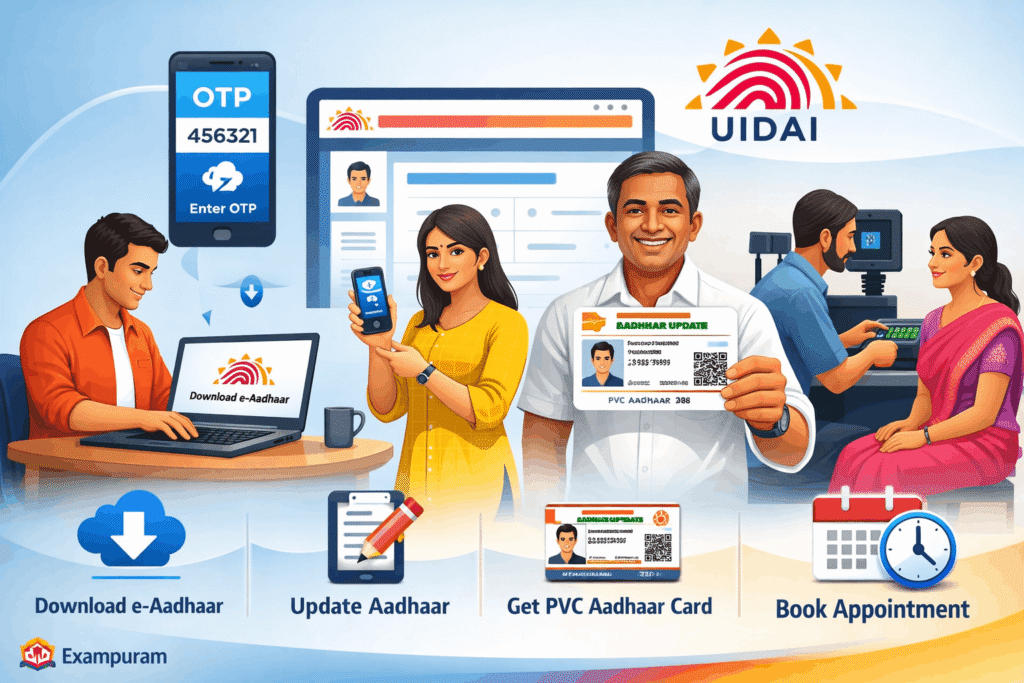
For citizen convenience, UIDAI provides online appointment booking for Aadhaar updates and corrections. This allows you to:
Schedule your visit without waiting in long queues
Select date and time at the nearest Aadhaar service centre
Avoid crowd and minimise waiting time
To book an online appointment or update details:
Visit the official UIDAI portal or the myAadhaar portal / mAadhaar app.
Choose the ‘Book an Appointment’ option under Aadhaar services.
Select your nearest Aadhaar Seva Kendra / CSC centre.
Choose the correction type and available date & time slot.
Confirm and save your appointment details.
Documents for Correction / Update
- Depending on the correction type, you may need to carry:
- Original Proof of Identity (POI)
- Original Proof of Address (POA)
- Original Proof of Date of Birth (DOB)
- Supporting documents for mobile/email update
Benefits and Updated Fee for Aadhaar PVC Card
You can order your Aadhaar card in PVC format by paying a nominal fee of ₹75/- online. This card will be delivered to your registered address via Speed Post.
Updated Rate: ₹75/- (inclusive of delivery and taxes), revised from the earlier ₹50/- effective 1 January 2026.
Benefit of Aadhaar PVC Card:
Durable: Made of sturdy PVC material that lasts longer than paper Aadhaar.
Convenient: Wallet‑sized and easy to carry everywhere.
Secure: Comes with a QR code, hologram (may vary based on design updates), guilloche pattern, ghost image, and micro text for enhanced security.
Official Validity: Holds the same legal validity as e‑Aadhaar or paper Aadhaar.
How to Download e-Aadhaar Card (2026)
How to Download e-Aadhaar Card (2026)
Ensure Mobile Number is Linked:
To download your e-Aadhaar, your mobile number must be linked with your Aadhaar card.Visit UIDAI Portal:
Go to the official UIDAI portal (https://uidai.gov.in) and select the “Download e-Aadhaar” option.Enter Details:
Enter your Aadhaar number / Enrollment ID.
Enter your full name and PIN code.
Click on “Get One-Time Password (OTP)”.
Verify OTP:
The OTP will be sent to your registered mobile number.
Enter the OTP to authenticate and download the e-Aadhaar PDF.
The PDF is password-protected, the password is usually the first four letters of your name in CAPS + birth year.
If Mobile is Not Linked:
Citizens whose mobile number is not linked with Aadhaar can still download e-Aadhaar by visiting a nearby Aadhaar Seva Kendra or CSC center.
Biometric verification will be required at the center to authenticate and get the e-Aadhaar printed or downloaded.
Notes:
Keep your mobile number updated in Aadhaar to make future downloads easier.
You can also use the Aadhaar app to download or store e-Aadhaar digitally.
यदि Examपुरम् आपको उपयोगी लगे, तो कृपया इसे दूसरों के साथ साझा करें। धन्यवाद!
IMPORTANT LINKS
Download E Aadhar Card
Find Aadhar Card Number / Enrollment ID
For Online Appointment
Order PVC Aadhar Card
Official UIDAI Website
यदि Examपुरम् आपको उपयोगी लगे, तो कृपया इसे दूसरों के साथ साझा करें। धन्यवाद!
Aadhaar-PAN Link: Frequently Asked Questions (FAQ) 2024
Lorem ipsum dolor sit amet, consectetur adipiscing elit. Ut elit tellus, luctus nec ullamcorper mattis, pulvinar dapibus leo.
Yes, a fee of ₹1,000 is applicable for linking.
Last Date: As per Schedule
Fee can be paid through Debit Card, Credit Card, Net Banking, UPI, or Offline Payment.
No, if your PAN is already linked with Aadhaar, no fee is required.
No, once linked, it does not need to be done again.
Thank you for visiting ExamPuram.com, your trusted source for the latest updates on government jobs, recruitment notifications, admissions, results, admit cards, answer keys, and other important exam-related information. Our goal is to provide accurate and timely updates so that candidates can easily access all essential details in one place.
To make your experience even better, Examपुरम् also offers a mobile-friendly platform so you can stay updated anytime, anywhere. You can also connect with us through our official social media channels including Twitter (X), Facebook, Instagram, Threads, Telegram, WhatsApp, and YouTube for instant updates and notifications.
© Copyright 2026–2027
All Rights Reserved by Exampuram.com
For advertising or business inquiries, please contact us at: exampuram@gmail.com
Disclaimer
Examination results, marks, notifications, and other information published on ExamPuram.com are provided solely for the immediate reference of candidates. While we make every effort to ensure that the information available on this website is accurate and up to date, we do not guarantee its absolute completeness or correctness.
ExamPuram.com is not responsible for any inadvertent errors, omissions, or inaccuracies that may occur in the published content. Visitors are advised to verify details through the official website or official notification of the respective authority before making any decisions. We shall not be held liable for any loss or inconvenience caused due to reliance on the information provided on this website.